apple patient
  • Home
  • News
  • Rumors
  • Tips & Tricks
  • Reviews
  • Insights
No Result
View All Result
  • Home
  • News
  • Rumors
  • Tips & Tricks
  • Reviews
  • Insights
No Result
View All Result
apple patient
No Result
View All Result

AirTag location: Users complain about missing family sharing

Milan Jovicic by Milan Jovicic
May 4, 2021 - 4:40 PM
in Apple News
AirTag location

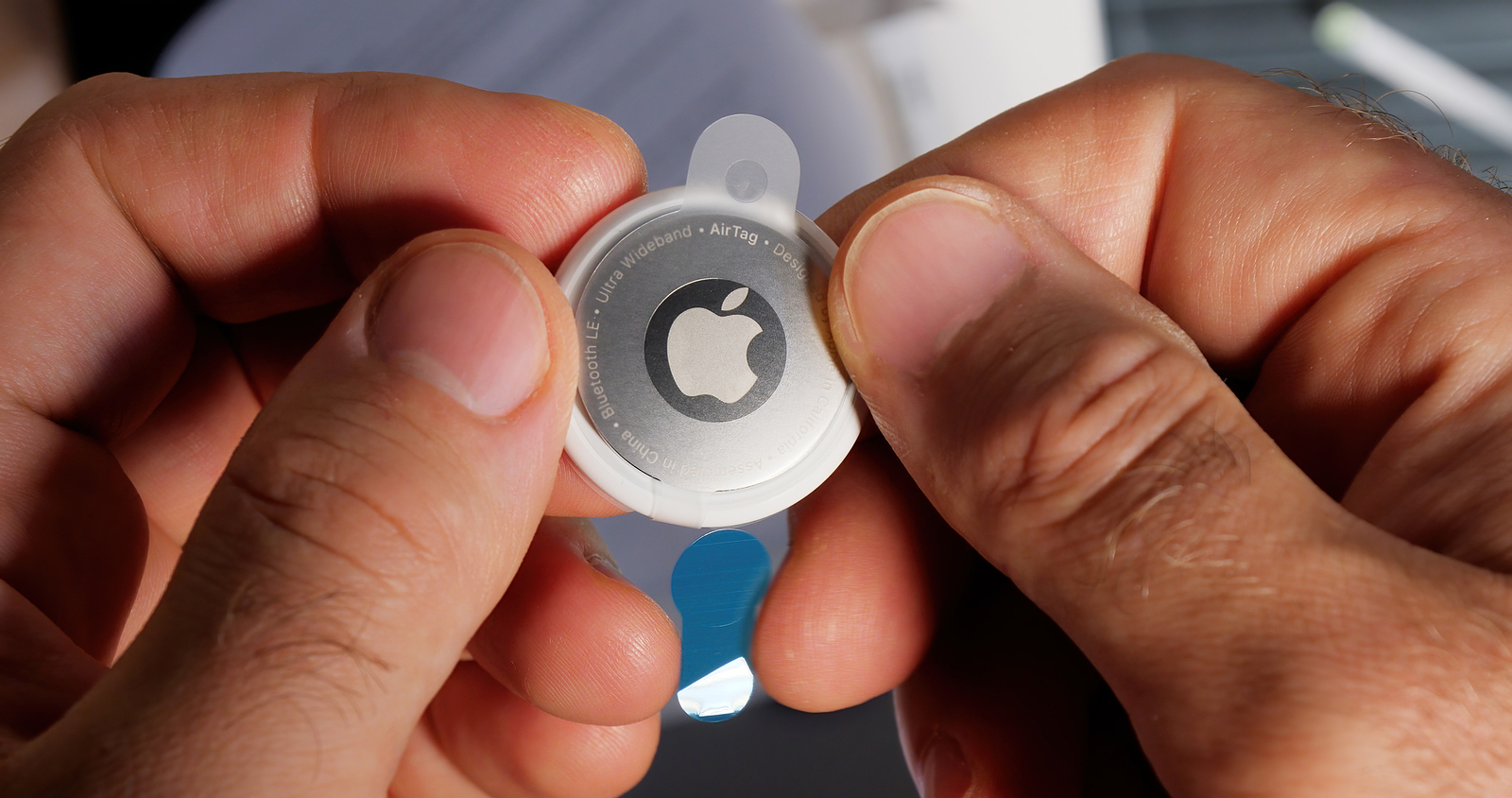
Paris, France - May 2, 2021: Man pov unboxing removing plastic film from AirTag - small device helps people keep track of belongings, using Apple Find My network to locate lost items like keys, wallet, bag

WhatsAppFacebookEmailThreads

Apple's brand new AirTags have been available in much of the world since Friday last week. While Apple tries to describe the ways an AirTag can be used to find lost items, many users are still surprised and disappointed to learn that the location of an AirTag cannot be shared with other family members.

At first glance, sharing the location of an AirTag via Apple's Family Sharing feature should be a no-brainer, as individual members of a Family Sharing group can use the Find My app to see the location of other family members' Apple devices, including iPhones, iPads, Macs, AirPods, and Apple Watches. Small note: This is of course subject to the active consent of the individual users to share their location. Be that as it may.

"If Tile could already figure out how to do it, I'm sure Apple can too."

Given these Family Sharing privileges, many users understandably assumed that an AirTag attached to an item regularly used by more than one person in the household (such as a keychain) could be tracked by multiple family members in Find My. Unfortunately, however, AirTags do not work in Find My like other Apple devices. As a result, several users have voiced their displeasure on Apple's community support forum, on Reddit, and on various other online platforms. writes for example Apple Communities user MikeyPD:

It's very disappointing that there is currently no option to share AirTags with family members. This is a very handy feature that Tile (and other trackers too) offers. I think I should have read up on this before ordering. I guess it just seemed like such a no-brainer feature that I didn't even think to check it. I hope this feature is added soon. If Tile could already figure out how to do this, I'm sure Apple can too. This is quite a flop.

As a reminder, as Apple has previously explained, the only AirTag privilege granted to people in an iCloud Family Sharing group is the ability to mute the "AirTag discovered" security alert that appears when an AirTag is with them but is registered to someone else -- their partner, for example.

AirTag Family Sharing: Apple could add feature via software update

Side note: The owner of the AirTag can also disable the safety alerts to prevent another person's iPhone from recognizing it as unwanted tracking. But that's all the Family Sharing functionality does. AirTags are only intended to be owned by one person. This means that there is currently no way to share the location of an AirTag with another family member who uses a separate Apple ID. Why this is the case is of course not known. At this point, one can only speculate. It is likely that Apple ignored this feature due to privacy concerns. However, it is not impossible that Apple will add the option at some point via a software update. (Photo by hadrian / Bigstockphoto)


  • AirTag: How to find the serial number and firmware version
Make Apfelpatient a preferred source One click – and you'll see us more often on Google
Was this article helpful?
YesNo
Tags: AirTags
SendShareSendShare

Our Amazon Storefront

A handpicked selection of products for iPhone, Mac and more – sorted by topic and updated regularly.

Shop Now

This post contains affiliate links (including Amazon). We earn a small commission on qualifying purchases – at no extra cost to you. Learn more on our Partner Program page.

Milan Jovicic

Milan Jovicic

Milan founded Apfelpatient in 2016 and has written all of its content himself since 2018 – news, rumors, guides and product reviews. Apple devices here aren't test units for a fortnight but everyday tools: from the iPhone to the MacBook Pro, MacBook Air and iMac through to the Apple Vision Pro, at least one device from nearly every product category is in daily use, many of them replaced annually. Every menu path in a guide is verified on the device before it goes live.

Next Post
AirTags

Removable AirTag battery raises concerns about child safety

Symbolic image for Apple's bug bounty programme: a drawn shield with a checkmark beside a receding stack of incoming reports

Apple limits bug bounty reports due to AI flood

August 4, 2026
Copied content moving from an iPhone to a MacBook – clipboard sharing between iPhone and Windows is set to work the same way

iPhone and Windows: Apple plans shared clipboard

August 4, 2026
Symbolic image of Apple's leadership team: Apple Park from the air, illuminated at sunset.

Apple's leadership team is undergoing a transformation: Who's leaving and who's taking their place?

August 4, 2026

About APFELPATIENT

APFELPATIENT brings you the latest Apple news, product updates, guides, reviews and tips across the entire Apple ecosystem — from the iPhone to the Mac to the Apple Vision Pro. From the first rumors to confirmed news: researched responsibly.

Follow Apfelpatient

Facebook Instagram YouTube Threads Threads

Company

  • About Apfelpatient
  • Contact
  • Author Profiles

Community

  • Netiquette
  • Push Notifications
  • RSS feed

Legal

  • Legal Notice
  • Privacy Policy
  • Terms of Use
  • Cookie Settings
  • Affiliate Program

Resources

  • Sitemap

© 2026 Apfelpatient. All rights reserved.

No Result
View All Result
  • Home
  • News
  • Rumors
  • Tips & Tricks
  • Reviews
  • Insights

© 2026 Apfelpatient. All rights reserved. Page Directory

Change language to Deutsch