
iOS 18: Schedule and automatically send messages
Schedule messages and send them later with iOS 18. Learn how to enable the new Send Later feature in the Messages app...

iPadOS is Apple's operating system for the iPad and has been a dedicated variant alongside iOS since September 2019 – with features tailored to the larger screen and productive workflows. These include Stage Manager, freely placeable and overlapping app windows, full external display support, a desktop-like Dock, deep Apple Pencil integration for notes, markup and drawing, connectivity with Magic Keyboard and Magic Trackpad, full mouse and trackpad control, and Continuity features such as Sidecar and Universal Control. iPadOS also brings the central pillars of iOS to the tablet – including Apple Intelligence, the Liquid Glass design, Live Activities, privacy features and deep integration with iCloud, iPhone, Mac, Apple Watch, Apple TV and Vision Pro.
This tag overview on apfelpatient.de accompanies every development around iPadOS: beta cycles for every new major version, detailed coverage of features such as Stage Manager and multitasking, tips and tricks for Apple Pencil, Magic Keyboard, external display use and hidden settings, background on security updates and bug fixes, design analyses of new interfaces, comparisons with macOS and Android, and all rumors and reports about upcoming iPadOS versions.
Anyone wanting to use iPadOS productively, get the most out of their iPad or follow the evolution of the tablet platform will find their reading desk right here.
Schedule messages and send them later with iOS 18. Learn how to enable the new Send Later feature in the Messages app...

Apple Music offers many new features with iOS 18: music haptics, optimized queue and SharePlay extensions.
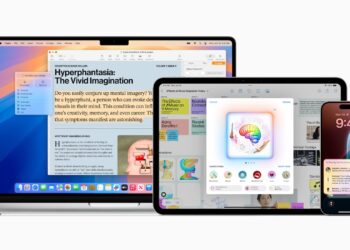
Apple Intelligence: Maximum data security through three-level protection & independent verification. Find out more about Apple's innovative approaches.
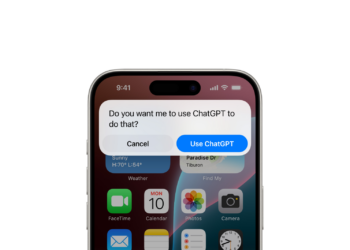
ChatGPT in iOS 18: Why is Apple not paying? Discover the details of this innovative partnership and how you as a user can benefit from it...

iOS 18 brings exciting new features to Apple Notes. Learn all about collapsible sections, text highlighting, and more.

How to install the iOS 18 beta: Step-by-step instructions to experience the latest features and improvements in iOS 18.

With the iOS 18 Photos app, you can quickly find QR codes, receipts, and more. Benefit from new categories and improved...

Discover the new iCloud interface in iOS 18, which gives you a clearer view of your storage usage and more efficient management.

iOS 18 brings impressive new features to Apple Mail. Intelligent email categorization and much more improve your mail management.
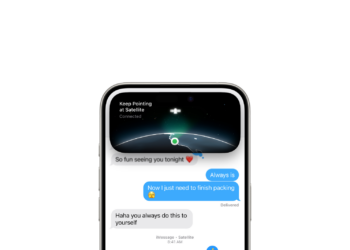
iOS 18: All the new tools and improvements in the Messages app at a glance. Make your messaging even more versatile and exciting!
You are currently viewing a placeholder content from Facebook. To access the actual content, click the button below. Please note that doing so will share data with third-party providers.
More InformationYou are currently viewing a placeholder content from Instagram. To access the actual content, click the button below. Please note that doing so will share data with third-party providers.
More InformationYou are currently viewing a placeholder content from X. To access the actual content, click the button below. Please note that doing so will share data with third-party providers.
More Information