
How to install the iOS 27 Developer Beta: guide, risks and troubleshooting
Installing the iOS 27 Developer Beta: complete instructions, risks, backup requirements and troubleshooting for all common problems.

iOS is Apple's operating system for the iPhone and one of the most widely used mobile operating systems in the world. Unveiled in June 2007 alongside the original iPhone and renamed from iPhone OS to iOS in 2010, the system is introduced every year at WWDC in June and ships in fall with the new iPhones. Since 2025, Apple synchronizes the version numbers of all its operating systems with the calendar year. iOS brings central features such as Home and Lock Screen customization, Dynamic Island, StandBy, Live Activities, Apple Intelligence, the Liquid Glass design, privacy features like Mail Privacy Protection and App Tracking Transparency, FaceTime, iMessage, Wallet, Apple Pay, and deep integration with iCloud, Apple Watch, AirPods, Mac, iPad, Apple TV and Vision Pro.
Apfelpatient.de has gathered the ongoing developments around iOS under this tag: beta cycles for every new version, detailed coverage of all major features and point updates, tips and tricks for settings, privacy and hidden features, background on security updates and critical bug fixes, comparisons with Android, design analyses of new interfaces, regulatory topics such as the DMA in Europe, and all rumors and reports about upcoming iOS versions.
Anyone wanting to understand iOS in depth, use it more effectively or follow the platform strategy behind Apple's mobile OS has their fixed anchor right here.
Installing the iOS 27 Developer Beta: complete instructions, risks, backup requirements and troubleshooting for all common problems.
Apple is expanding the App Store: new marketing tools, shared subscriptions, cross-provider bundles, and a streamlined submission process.
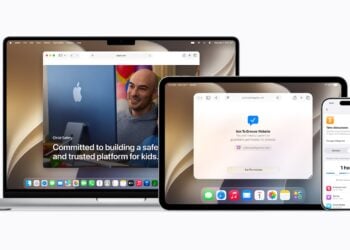
Apple is expanding its parental controls: Ask to Browse, time limits, and a new screen time feature are coming to iPhone, iPad, and other devices this fall.

Apple is not bringing Siri AI to iPhones and iPads in the EU for the time being due to the DMA – without a timeline. Also...
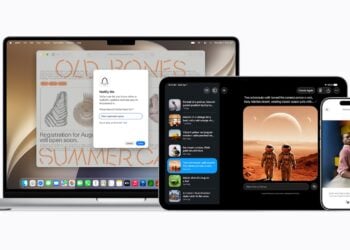
Apple Intelligence brings AI to Photos, Safari and Image Playground – and for the first time openly relies on Google's Gemini.

Apple has unveiled Siri AI: completely rebuilt, with world knowledge, screen awareness and its own app – with an EU reservation.

The British government is demanding that Apple block nudity on children's devices – but the feature is already built into iOS.
What parents should really configure in Apple Family Sharing when it comes to parental controls, location sharing, and Ask to Buy.
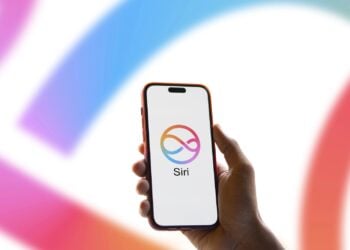
According to a report, Apple might initially control access to the completely redesigned Siri in iOS 27 via a waiting list – ...

iCloud Private Relay sounds like an Apple VPN – but it's something different. Where does the protection apply, where does it end, and when...?.
You are currently viewing a placeholder content from Facebook. To access the actual content, click the button below. Please note that doing so will share data with third-party providers.
More InformationYou are currently viewing a placeholder content from Instagram. To access the actual content, click the button below. Please note that doing so will share data with third-party providers.
More InformationYou are currently viewing a placeholder content from X. To access the actual content, click the button below. Please note that doing so will share data with third-party providers.
More Information