
apple patient
  • Home
  • News
  • Rumors
  • Tips & Tricks
  • Reviews
  • Insights
No Result
View All Result
  • Home
  • News
  • Rumors
  • Tips & Tricks
  • Reviews
  • Insights
No Result
View All Result
apple patient
No Result
View All Result

watchOS 7: Hide tiles in the Control Center

by Milan
September 23, 2020 - 5:49 PM
in Apple Tips & Tricks
watchOS 7

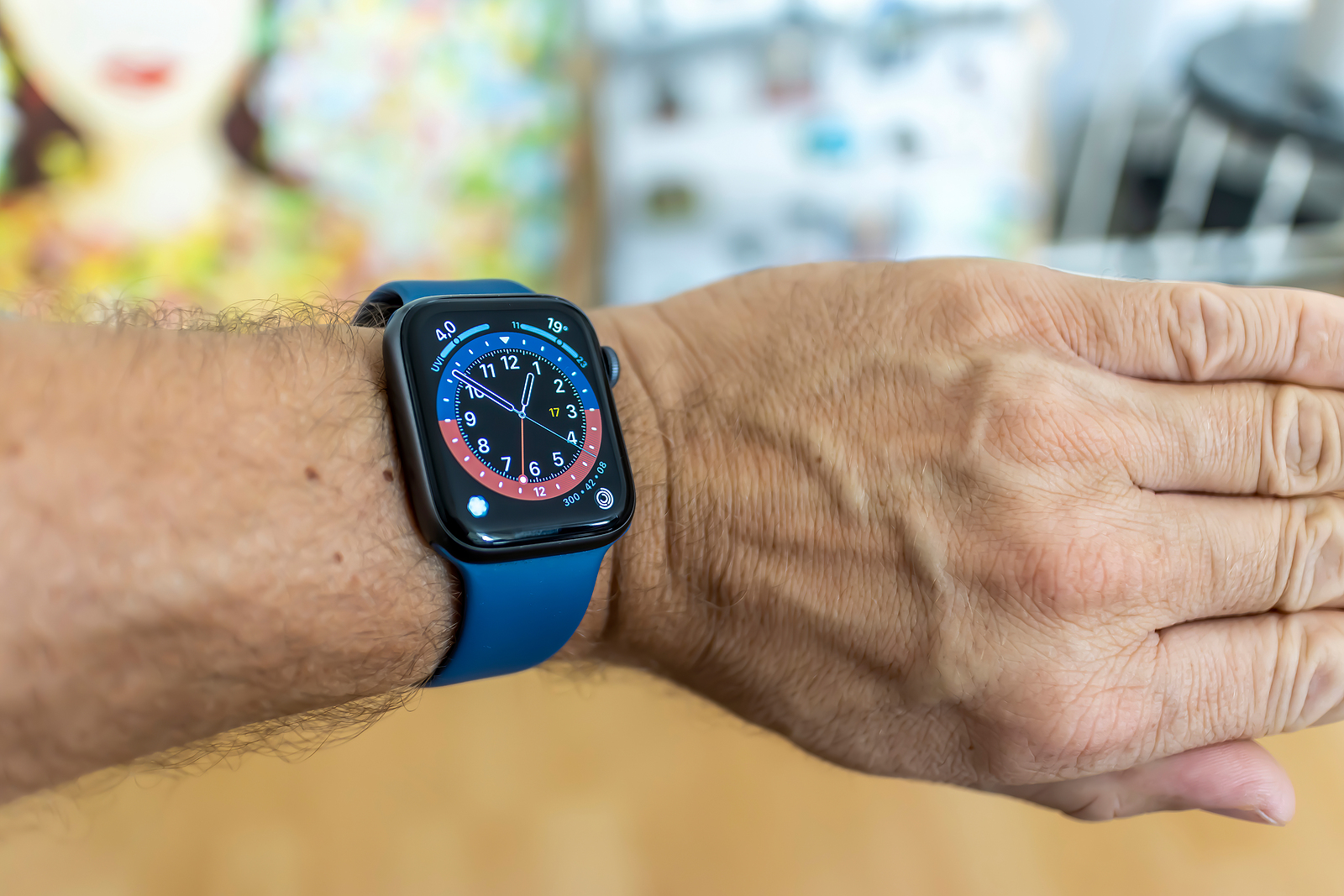
Frankfurt, Germany - September 17th 2020: A German photographer installing the all new watchOS 7 software on his Apple Watch after the launch of the official version.

The watchOS 7 update was recently released to all users. The update includes some useful features, including sleep tracking, handwashing guidance, new workout programs, and more.

The areas of health and fitness are the main beneficiaries of watchOS 7. The Workouts app has been updated with new dance workouts and improved calorie counting. The Activities app has been redesigned and renamed “Fitness.” But a particularly cool feature is the sharing of watch faces. This means that users will be able to exchange their personalized watch faces with friends in the future. But there are also smaller innovationsthat are not immediately noticeable, including in the control center. As on the iPhone, this offers access to Wi-Fi, airplane mode and more. With watchOS 7, users can design the control center themselves and hide tiles for the first time. Since the control center on the Apple Watch is getting more options every year, hiding the tiles can't do any harm. Previously, it was only possible to rearrange them.

watchOS 7: How to hide the tiles in the Control Center

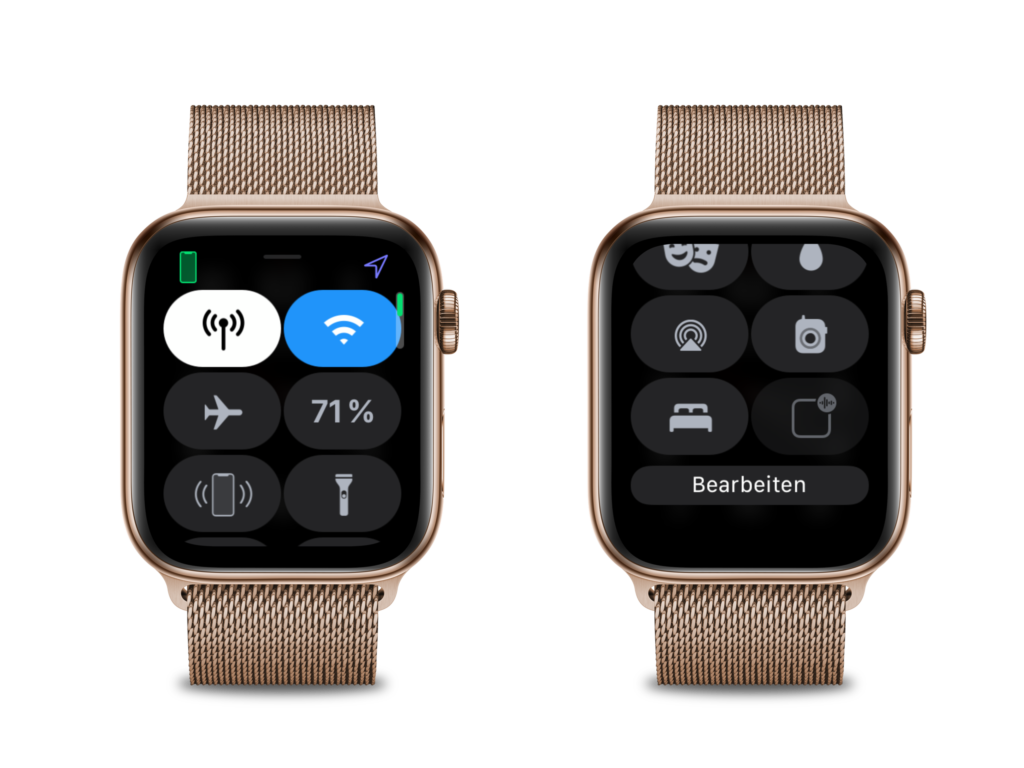
Like many things, hiding the tiles in the Control Center is very easy. To do so, swipe up from the bottom of the screen to open the Control Center. If you are still in an app, exit it first. Once the Control Center is open, scroll down and press "Edit".
watchOS 7
Screenshot: Apfelpatient

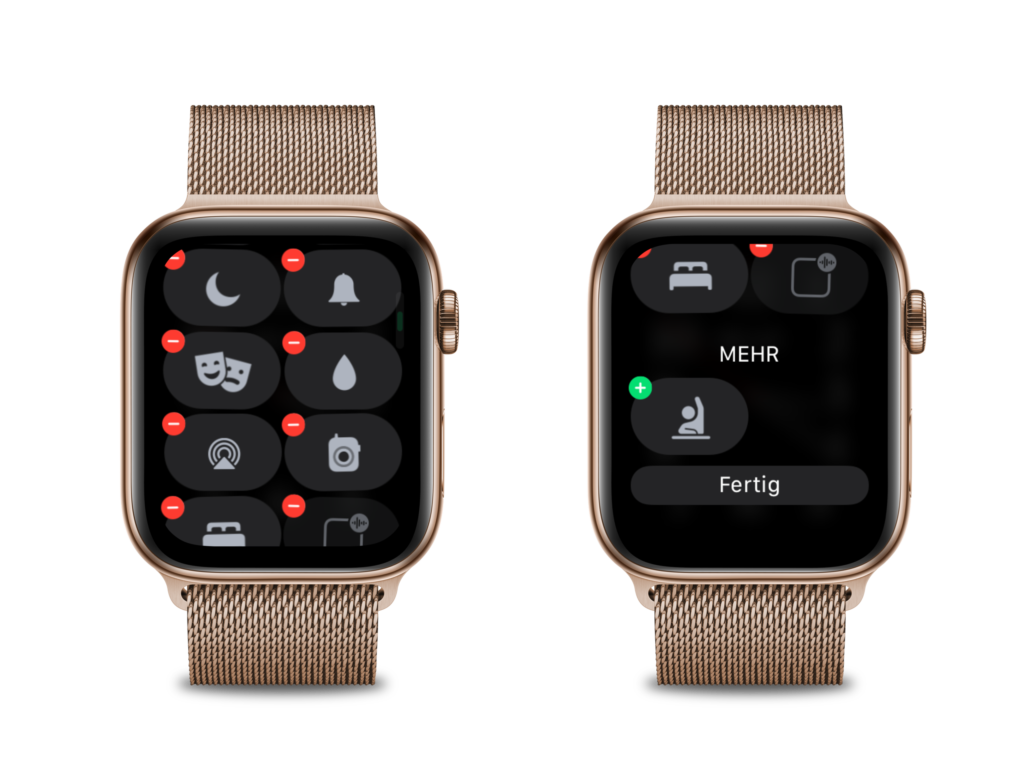
Now you can manage the individual icons. This means you can rearrange them, hide them or show them. There is one exception, however.
watchOS 7
Screenshot: Apfelpatient

Tiles such as airplane mode, Wi-Fi, the battery indicator and mobile network cannot be removed. The new watchOS 7 update supports all Apple Watch models from Series 3 onwards. You don't have an Apple Watch yet? Then take a look at our Amazon Storefront There you will find some of the Apple Watch Series 3, 4, 5, 6 and SE models and more. (Photo by ms_pics_and_more / Bigstockphoto)
  • Apple Watch: The difference between GPS and GPS+Cellular
Make Apfelpatient a preferred source One click – and you'll see us more often on Google
Was this article helpful?
YesNo
Tags: Apple WatchwatchOSwatchOS 7

Our Amazon Storefront

A handpicked selection of products for iPhone, Mac and more – sorted by topic and updated regularly.

Shop Now

This post contains affiliate links (including Amazon). We earn a small commission on qualifying purchases – at no extra cost to you. Learn more on our Partner Program page.

Previous Post

Mini-LED displays debut in upcoming iPad Pro

Next Post

iPhone 12 launch: Is the date set?

Next Post
iPhone 12

iPhone 12 launch: Is the date set?

Apple iPhone Ultra

iPhone Ultra: 25 percent market share expected for foldables

July 24, 2026
Apple TV The Morning Show Season 5

Apple TV: The Morning Show ends with season 5

July 23, 2026
Apple Maps iOS 27

Apple Maps will be permanently installed in Ford electric cars by 2027

July 23, 2026

About APFELPATIENT

APFELPATIENT brings you the latest Apple news, product updates, guides, reviews and tips across the entire Apple ecosystem — from the iPhone to the Mac to the Apple Vision Pro. From the first rumors to confirmed news: researched responsibly.

Follow Apfelpatient

Facebook Instagram YouTube threads threads

Company

  • About Apfelpatient
  • Contact
  • Author Profiles

Community

  • Netiquette
  • Push Notifications
  • RSS feed

Legal

  • Legal Notice
  • Privacy Policy
  • Terms of Use
  • Cookie Settings
  • Affiliate Program

Resources

  • Sitemap

© 2026 Apfelpatient. All rights reserved.

No Result
View All Result
  • Home
  • News
  • Rumors
  • Tips & Tricks
  • Reviews
  • Insights

© 2026 Apfelpatient. All rights reserved. Page Directory

Change language to Deutsch


