apple patient
  • Home
  • News
  • Rumors
  • Tips & Tricks
  • Reviews
  • Insights
No Result
View All Result
  • Home
  • News
  • Rumors
  • Tips & Tricks
  • Reviews
  • Insights
No Result
View All Result
apple patient
No Result
View All Result

iOS 14: iPhone back triggers quick actions

by Milan
June 23, 2020 - 6:22 PM
in Apple Tips & Tricks
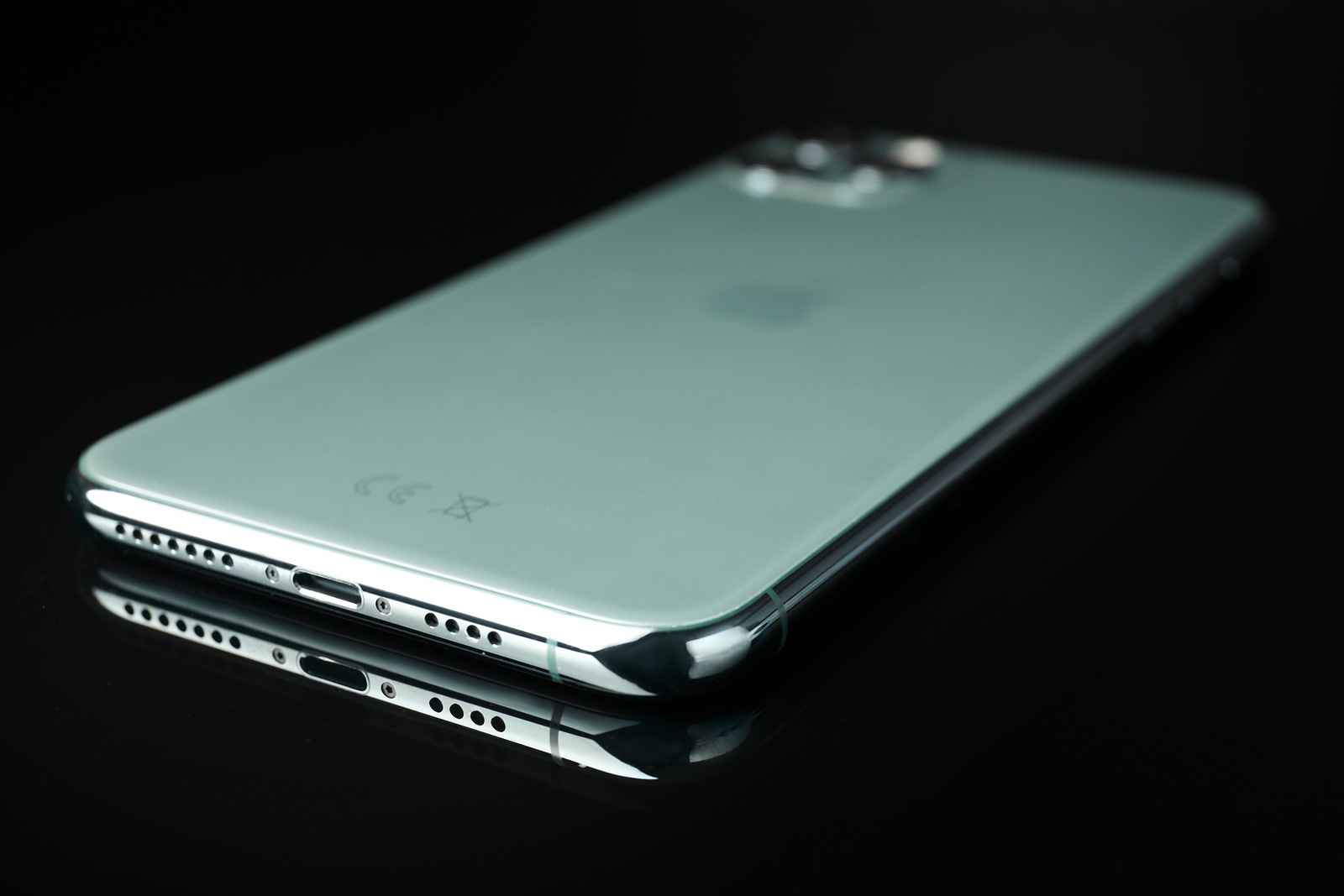
MYKOLAIV, UKRAINE - MARCH 12, 2020: iPhone 11 Pro Midnight Green on black background, closeup

MYKOLAIV, UKRAINE - MARCH 12, 2020: iPhone 11 Pro Midnight Green on black background, closeup

The new iPhone operating system offers significantly more features than Apple actually announced Many new features are currently being documented, including Back Tap.

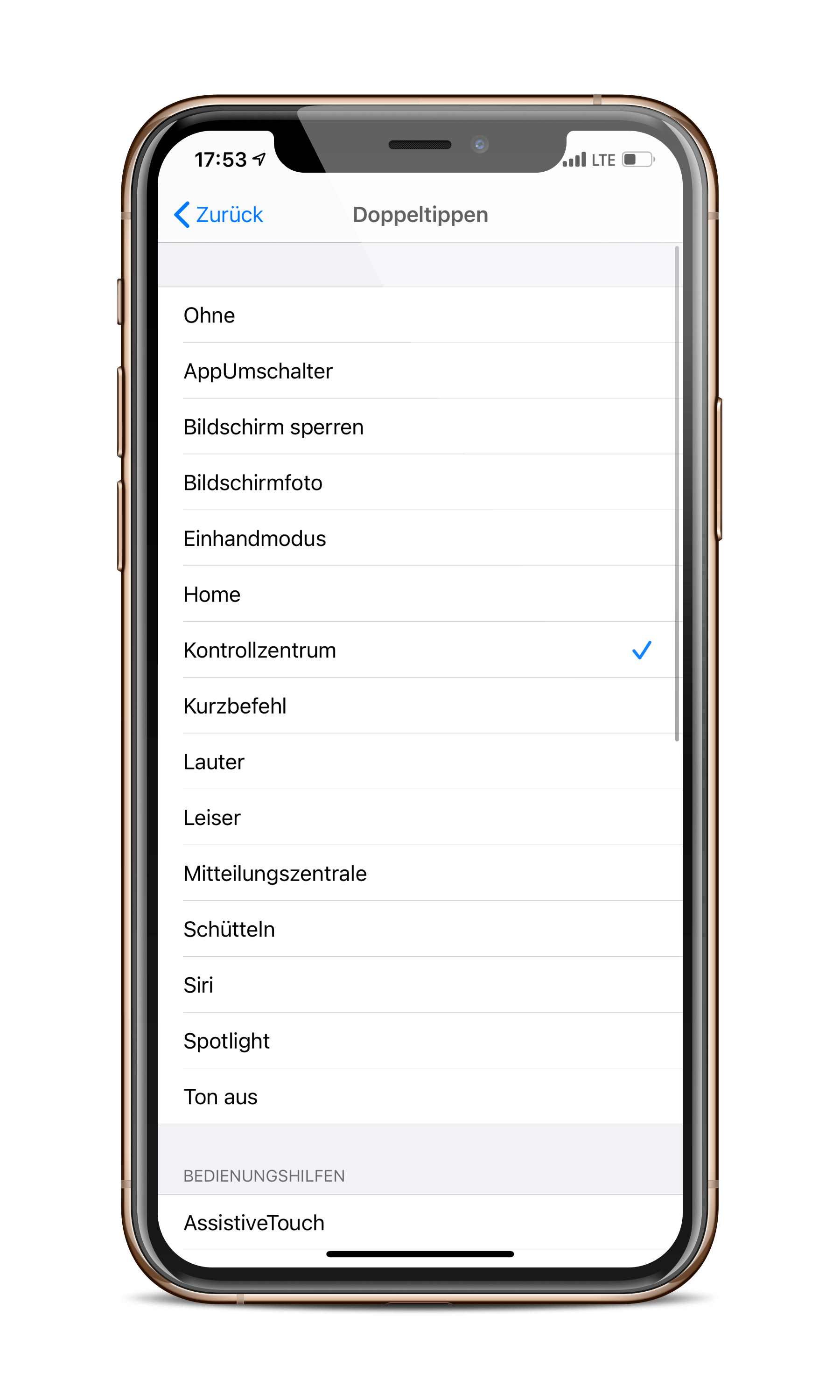
Wouldn't it be cool to open the control center by double-tapping the back of the iPhone? Yes - iOS 14 makes it possible. A Apfelpatient discovered the feature. According to this, users under iOS 14 can activate a quick action by double or triple-tapping the back of the iPhone. Users can use it, for example, to switch apps, lock the screen, take a screenshot and more. There are a total of 23 different actions to choose from - shortcuts can also be integrated.

How to enable Back Tap on iOS 14

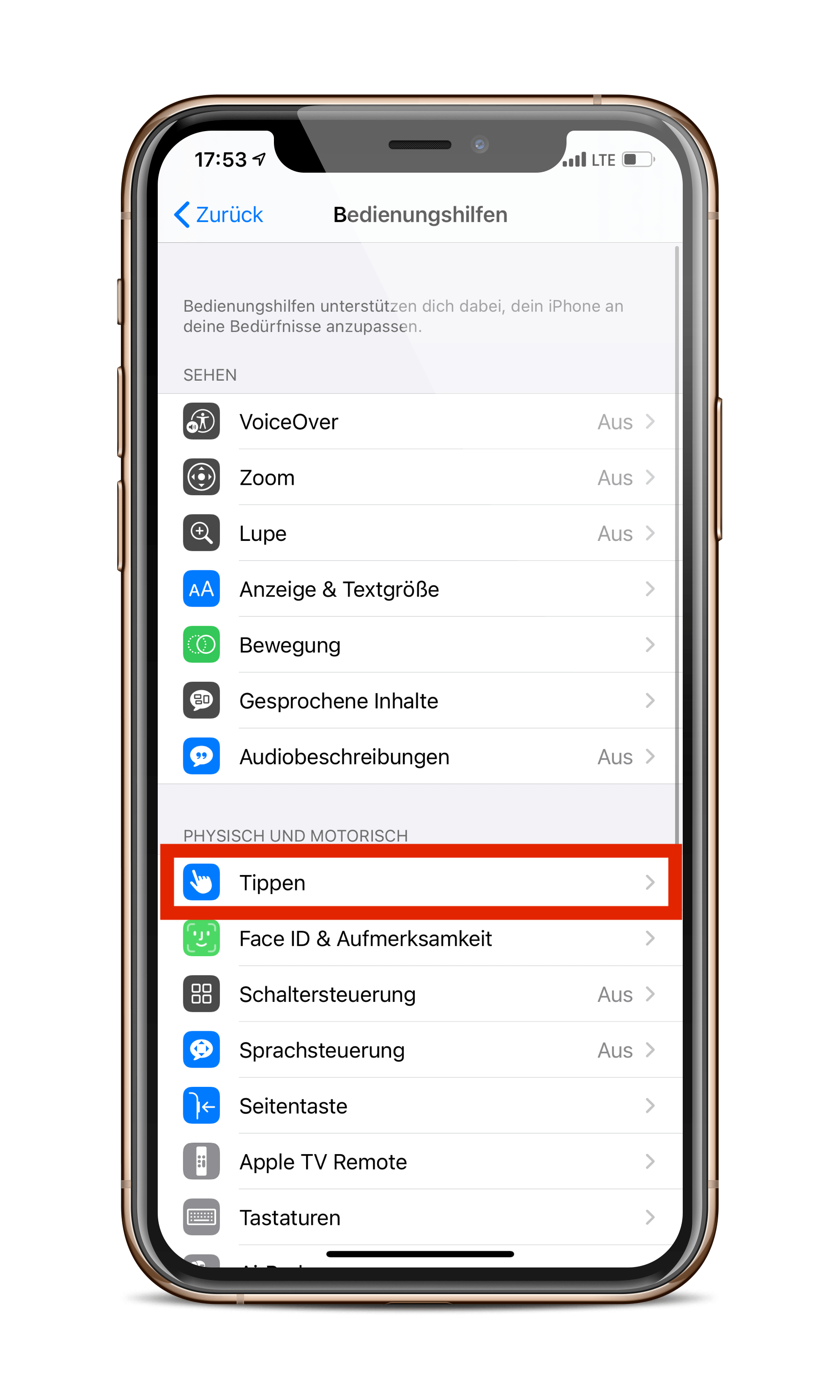
To activate the feature, you need to open the “Accessibility” section in the iOS settings. Now navigate to the “Tap” item under “Physical and Motor”. 
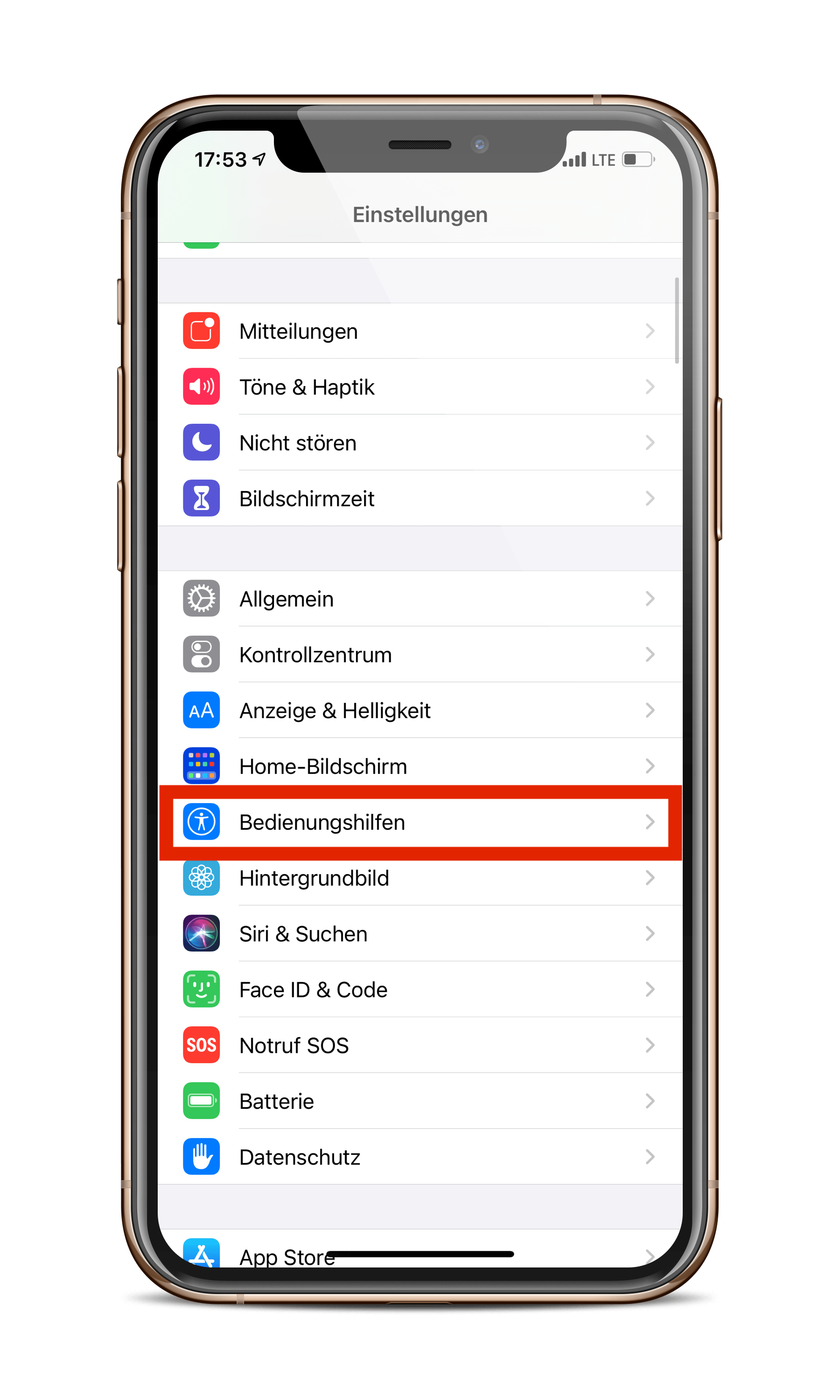
  • iOS 14
  • iOS 14
Screenshots: Apfelpatient

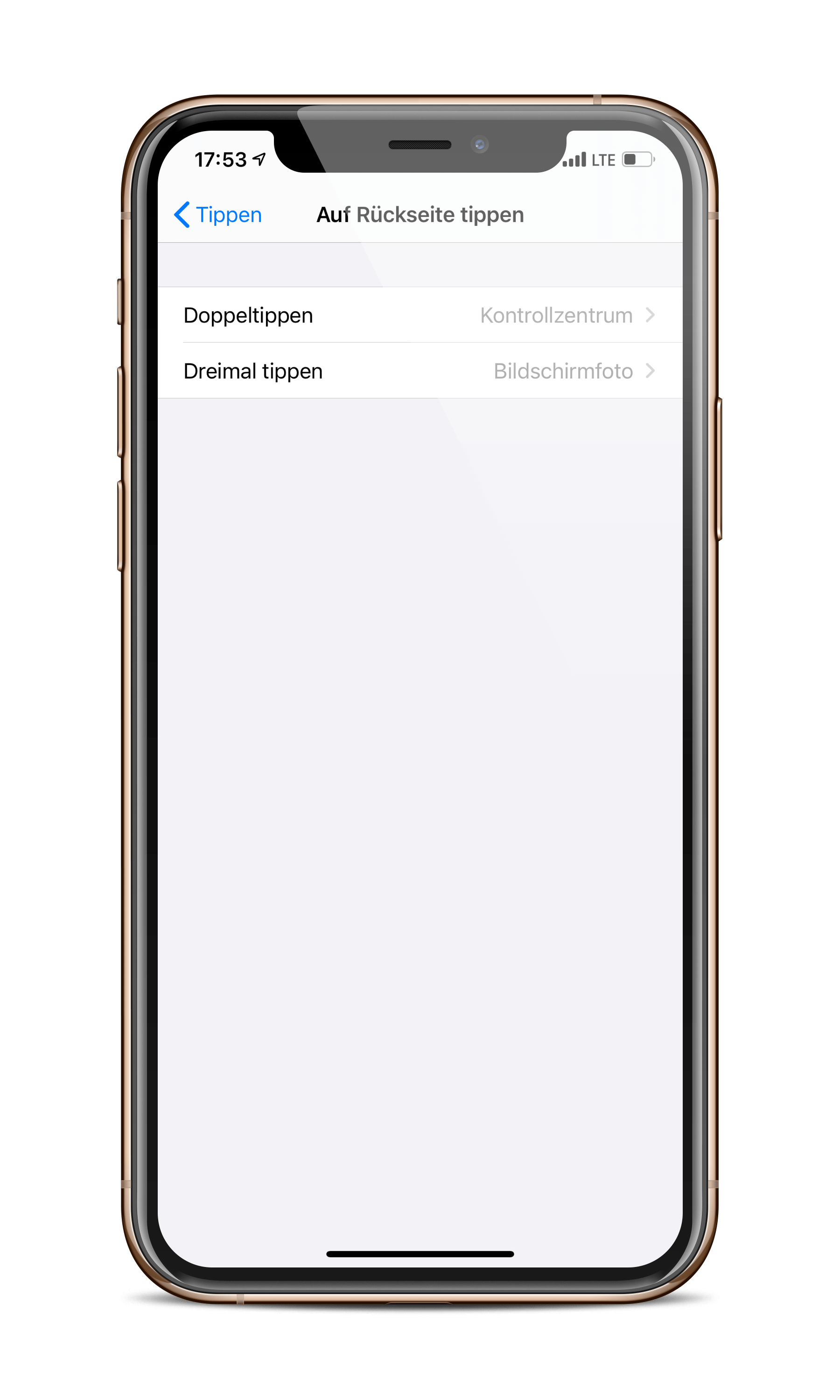
Now you can scroll all the way down and activate the “Tap back” function.
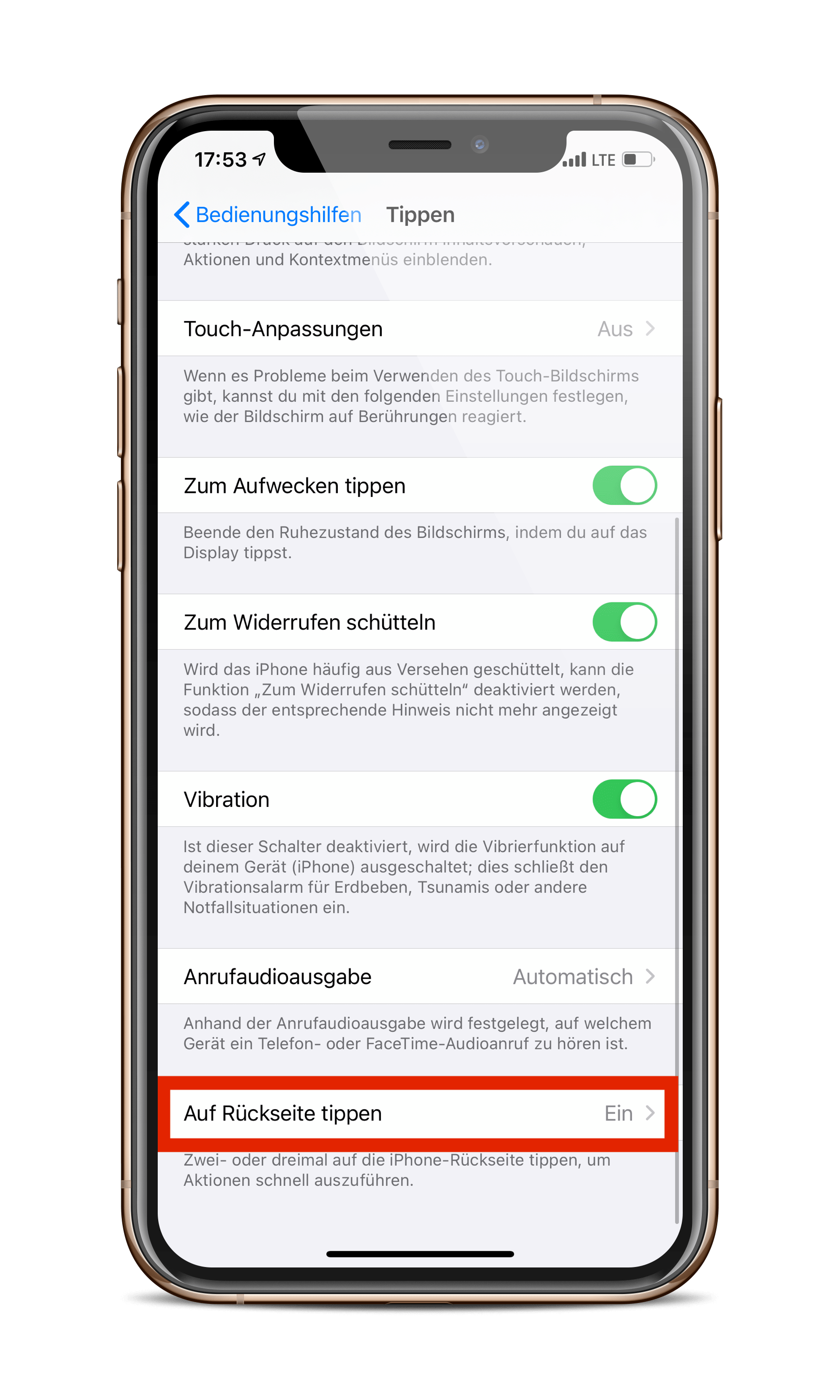
  • iOS 14
  • iOS 14
  • iOS 14
Screenshots: Apfelpatient

Here you select an action for a double tap and a triple tap. Once you have made your choice, you can get started - thanks Mathis. By the way - the feature also works with an Apple case and is available to all users with an iPhone X or newer.

Important note: iOS 14 is currently only available to registered developers. In July, the first preview will also be available to participants in the public beta program. If you actually have a second device and want to participate, you can find a comprehensive guide below. I will guide you through the entire process – from installation to completion. (Photo by New Africa / Bigstockphoto)
  • iOS 14: How to create widgets on the iPhone
Make Apfelpatient a preferred source One click – and you'll see us more often on Google
Was this article helpful?
YesNo
Tags: iOSiOS 14iPhone

Our Amazon Storefront

A handpicked selection of products for iPhone, Mac and more – sorted by topic and updated regularly.

Shop Now

This post contains affiliate links (including Amazon). We earn a small commission on qualifying purchases – at no extra cost to you. Learn more on our Partner Program page.

Previous Post

iOS 14 informs about snooping applications

Next Post

iOS 14: AirPods get new charging function

Next Post
Rostov-on-Don, Russia - December 2019. Apple AirPods Pro on a white background. Wireless headphones in a charging case close-up.

iOS 14: AirPods get new charging function

Apple TV The Morning Show Season 5

Apple TV: The Morning Show ends with season 5

July 23, 2026
Apple Maps iOS 27

Apple Maps will be permanently installed in Ford electric cars by 2027

July 23, 2026
Google EU

EU imposes €890 million fine on Google

July 23, 2026

About APFELPATIENT

APFELPATIENT brings you the latest Apple news, product updates, guides, reviews and tips across the entire Apple ecosystem — from the iPhone to the Mac to the Apple Vision Pro. From the first rumors to confirmed news: researched responsibly.

Follow Apfelpatient

Facebook Instagram YouTube threads threads

Company

  • About Apfelpatient
  • Contact
  • Author Profiles

Community

  • Netiquette
  • Push Notifications
  • RSS feed

Legal

  • Legal Notice
  • Privacy Policy
  • Terms of Use
  • Cookie Settings
  • Affiliate Program

Resources

  • Sitemap

© 2026 Apfelpatient. All rights reserved.

No Result
View All Result
  • Home
  • News
  • Rumors
  • Tips & Tricks
  • Reviews
  • Insights

© 2026 Apfelpatient. All rights reserved. Page Directory

Change language to Deutsch