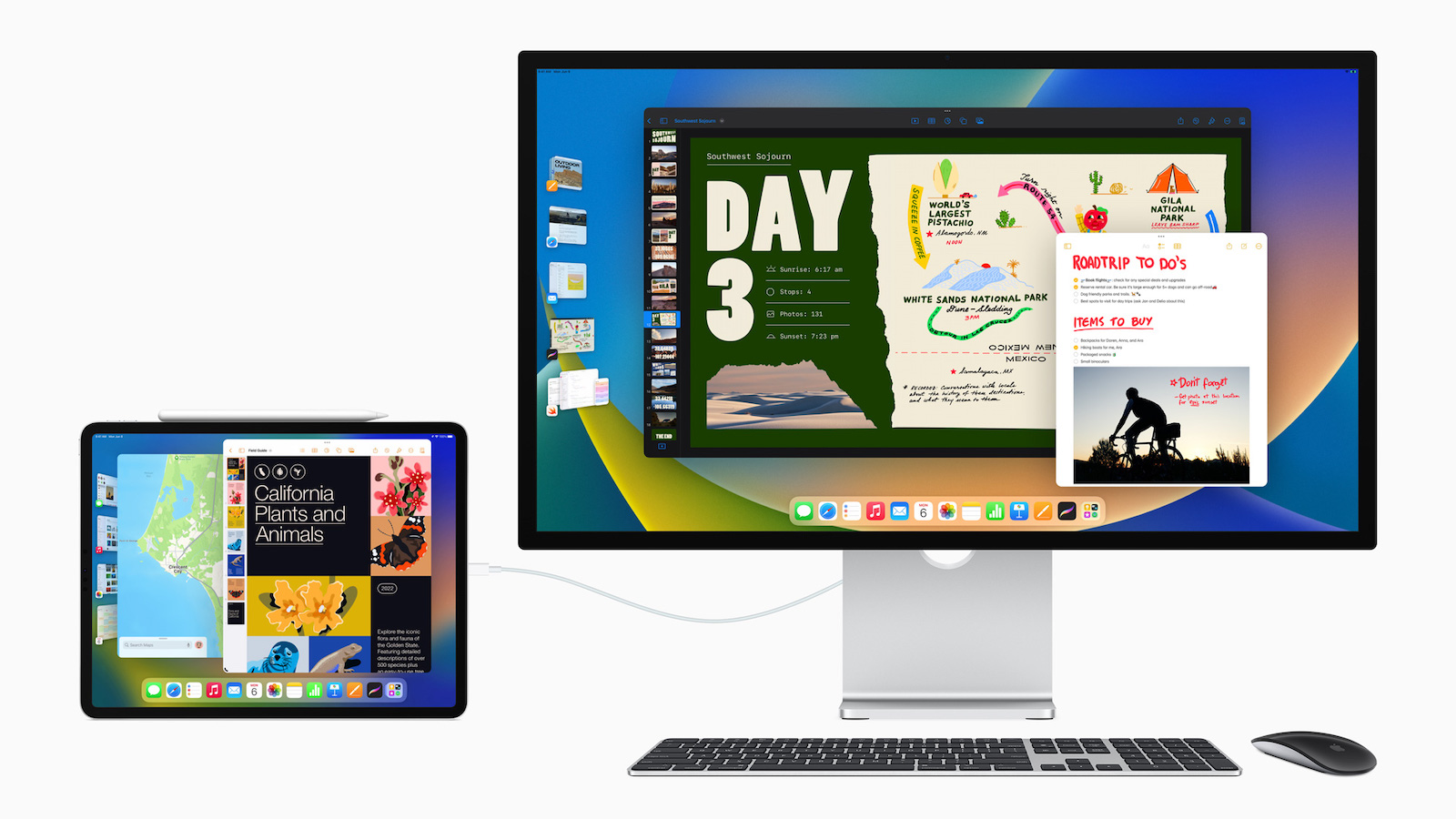
iPadOS 16 brings a handful of new features, which will especially benefit M1 iPad users. Below you will find a list of all iPadOS 16 features that are exclusively available for the M1 iPad Pro and M1 iPad Air.
The Stage Manager is the star feature of iPadOS 16 and will be available exclusively for the M1 iPad Air and the M1 iPad Pro. Below is a overview about the function:
- Resizable windows: Resize your windows to make them the perfect size for your task;
- Center app: Focus on the app you're currently working with without taking up the entire screen;
- Quick access to windows and apps: The windows of the apps you're currently working in are displayed prominently in the center, and other apps are arranged on the left in order of most recently used;
- Overlapping windows: Create overlapping windows of different sizes in a single view so you have control over the layout of your ideal workspace;
- Group apps together: Drag windows from the side or open apps from the Dock to create app groups that you can return to again and again.
Support for external displays under iPadOS 16
Another important feature for M1 iPad users using iPadOS 16 is support for external displays. As Apple explains, the iPad Pro with the M1 chip offers full support for external displays with resolutions up to 6K, which means you can work with different apps on your iPad and your external display. With iPadOS 16 you can also:
- Access apps on the external display: Access your favorite and recently used apps from the Dock, or use the App Library to find the app you want faster;
- Drag & drop between iPad and external display: M1 iPad users with iPadOS 16 can drag and drop files and windows from their iPad Pro to the external display and vice versa.
Exclusive feature for the 12.9-inch iPad Pro with M1
Even if you have an M1 iPad, that doesn't mean you can use all the features of iPadOS 16, because Apple has reserved a feature with new display modes for the high-end iPad:
- Reference Mode: Enables the 12.9-inch iPad Pro with Liquid Retina XDR display to deliver reference colors for common color standards and video formats;
- Reference mode with Sidecar: Use the iPad Pro as a second reference display for your Mac.
These are the features that M1 iPad users can use with iPadOS 16 - the upcoming operating system for iPads will be available as a public beta version next month. The official release for all users will take place in the fall. Whether your device is compatible with the new software, you can find out here. (Image: Apple)