
With the launch of iOS 17, Apple is offering an improved sticker experience in the Messages app on iPhone and iPad. In addition to integrating emoji as stickers, iOS 17 now also allows you to create your own stickers. These new features open up exciting possibilities for turning your photos into animated stickers and using them in conversations and photos.
Using stickers in the Messages app has been popular for some time, but with iOS 17, Apple has taken a big step forward to expand and improve sticker functionality. By integrating emoji and allowing users to create their own stickers, iOS 17 gives users a creative and fun way to express themselves in their messages. With iOS 17, you can now use any emoji as stickers. These are available right alongside Memoji stickers and downloaded sticker packs from the App Store. This opens up a wide range of possibilities to personalize your messages with fun and expressive stickers.
iOS 17: Bring your photos to life with animated stickers
In addition, iOS 17 allows you to create your own stickers. By using the "Remove subject from background" tool, which was already introduced in iOS 16, you can create your own stickers from your photos, whether they come from the Photos app or from other sources. You can select the desired subject and transfer it to the sticker interface. There you can choose from various effects, such as a white outline, a buffer effect or a glitter effect.
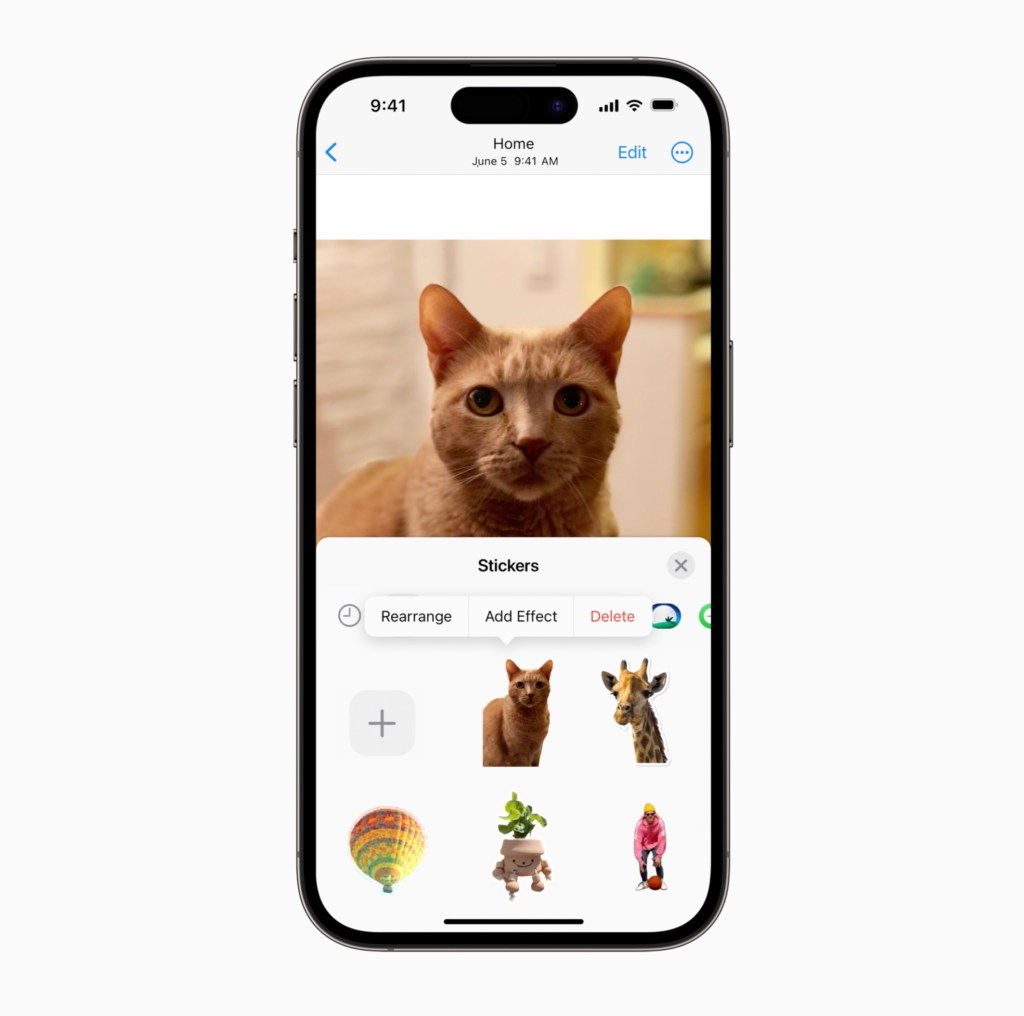
Even live photo themes can be animated to bring your stickers to life. The stickers you create can be used in the Messages app via the sticker interface. With just a few taps on the "+" sign and then on "Stickers" you can insert your stickers into messages and photos. The sticker functionality allows you to add an extra element of fun to your communication and enrich your photos with personal and unique stickers.
Sticker Conclusion
With iOS 17, Apple has taken the sticker experience in the Messages app to a new level. The integration of emoji as stickers and the ability to create your own stickers offer users endless possibilities to personalize and express their messages and photos. Use these exciting features to turn your photos into animated stickers and use them in your conversations and photos. Be creative and show your personality with the new sticker features in iOS 17. Looking for new accessories? Then take a look in our Amazon Storefront - there you will find numerous products from leading suppliers, also for HomeKit and Co.! (Photo by Mehaniq / Bigstockphoto)



