
apple patient
  • Home
  • News
  • Rumors
  • Tips & Tricks
  • Reviews
  • Insights
No Result
View All Result
  • Home
  • News
  • Rumors
  • Tips & Tricks
  • Reviews
  • Insights
No Result
View All Result
apple patient
No Result
View All Result

Grayed out: Apple solves app tracking transparency problem

by Milan
May 19, 2021 - 2:51 PM
in Apple News
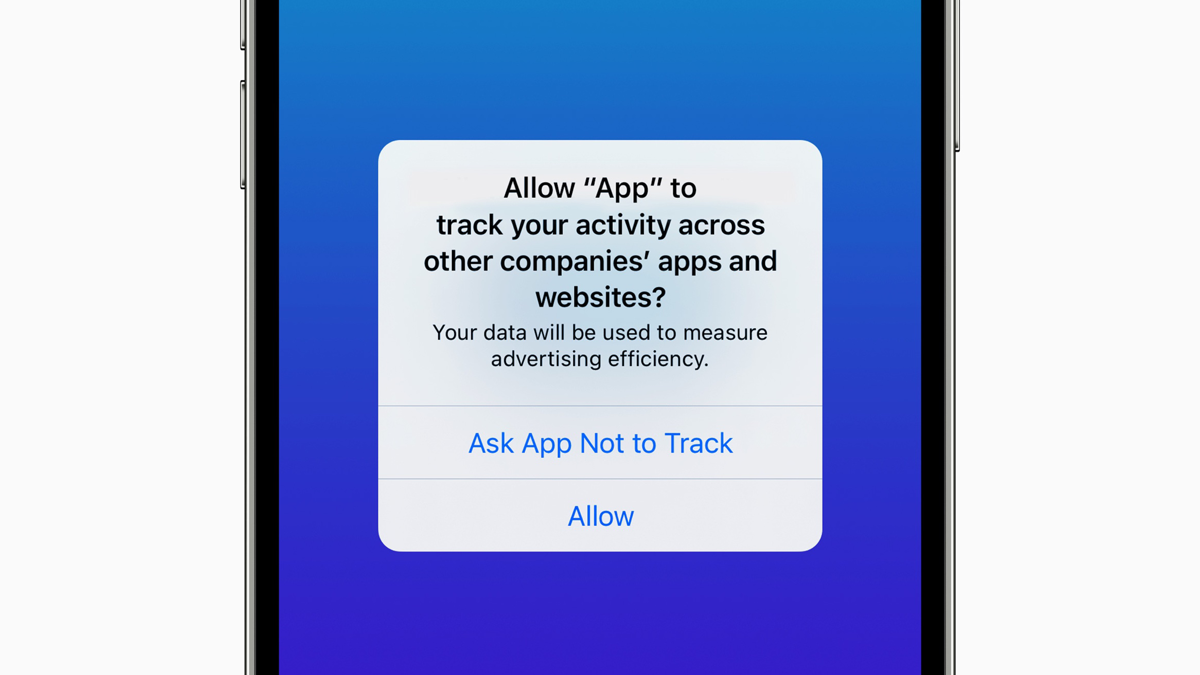
iOS 14.5 app tracking

Image: Apple

Apple now seems to have successfully found a solution behind the scenes to an issue that prevented the App Tracking Transparency feature from being activated in some cases. This issue was originally supposed to be fixed in iOS 14.5.1.

A growing number of users are reporting that the “Allow apps to request tracking” option in System Preferences is finally available and can be turned on or off. When enabled, users can decide whether to allow or deny an app access to their Identifier for Advertisers (IDFA). Shortly after the release of iOS 14.5 in April, some users noticed that the “Allow apps to request tracking” feature was not available. Instead of a working button, the Option deactivated and the menu selection grayed outApple announced that it had fixed the issue with an iOS update on May 3rd fixed But the difficulties remained for some users.
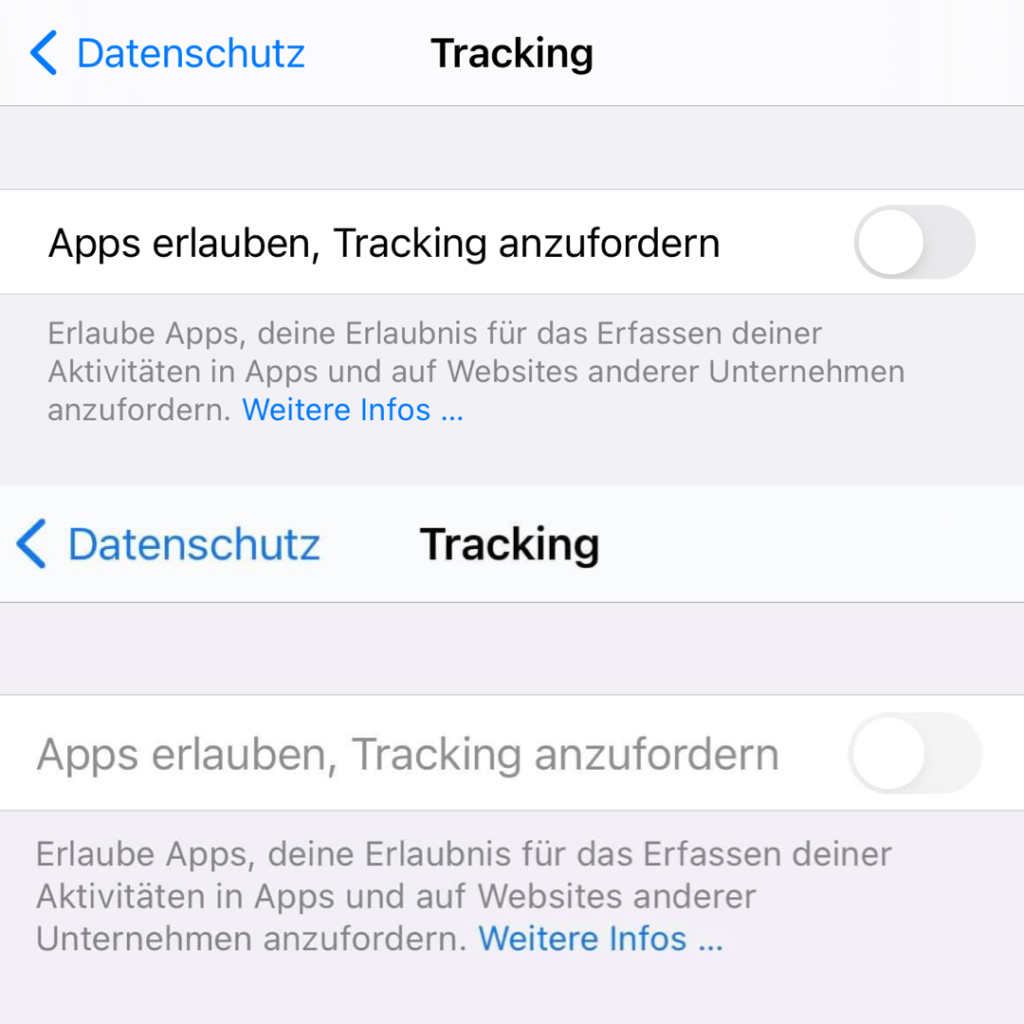
iOS 14.5
ATT option in comparison

App Tracking Transparency Error: Cause remains unknown

Allow apps to request tracking is not a new feature in iOS, but when combined with App Tracking Transparency features, it plays a slightly different role in Apple's user privacy space. With the launch of iOS 14.5, disabling the feature prevents apps from tapping into a user's IDFA, effectively enforcing a blanket ban on all tracking requests. Enabling Allow apps to request tracking allows users to allow tracking on a per-app basis. When opening an app for the first time - with the Allow apps to request tracking switch enabled - users are faced with a pop-up notification asking for permission to track across other apps and websites. These notifications are required under the App Tracking Transparency guidelines. It's unclear what caused the issue, and Apple declined to clarify the matter in the iOS 14.5.1 release notes. (Image: Apple)


  • iOS 14.5: How to control app tracking on iPhone
Make Apfelpatient a preferred source One click – and you'll see us more often on Google
Was this article helpful?
YesNo
Tags: iOSiOS 14.5iOS 14.5.1iPadOSiPadOS 14.5iPadOS 14.5.1

Our Amazon Storefront

A handpicked selection of products for iPhone, Mac and more – sorted by topic and updated regularly.

Shop Now

This post contains affiliate links (including Amazon). We earn a small commission on qualifying purchases – at no extra cost to you. Learn more on our Partner Program page.

Previous Post

Apple Watch Series 7 in a flat-edged design?

Next Post

Apple iPad & Mac: Chip shortage reaches “danger zone”

Next Post
Apple iPad & Mac chip shortage

Apple iPad & Mac: Chip shortage reaches "danger zone"

Apple TV The Morning Show Season 5

Apple TV: The Morning Show ends with season 5

July 23, 2026
Apple Maps iOS 27

Apple Maps will be permanently installed in Ford electric cars by 2027

July 23, 2026
Google EU

EU imposes €890 million fine on Google

July 23, 2026

About APFELPATIENT

APFELPATIENT brings you the latest Apple news, product updates, guides, reviews and tips across the entire Apple ecosystem — from the iPhone to the Mac to the Apple Vision Pro. From the first rumors to confirmed news: researched responsibly.

Follow Apfelpatient

Facebook Instagram YouTube threads threads

Company

  • About Apfelpatient
  • Contact
  • Author Profiles

Community

  • Netiquette
  • Push Notifications
  • RSS feed

Legal

  • Legal Notice
  • Privacy Policy
  • Terms of Use
  • Cookie Settings
  • Affiliate Program

Resources

  • Sitemap

© 2026 Apfelpatient. All rights reserved.

No Result
View All Result
  • Home
  • News
  • Rumors
  • Tips & Tricks
  • Reviews
  • Insights

© 2026 Apfelpatient. All rights reserved. Page Directory

Change language to Deutsch

