
How to turn texts into reminders with Apple Intelligence
Apple Intelligence recognizes tasks in text and turns them into reminders, ideal for emails, websites, and structured notes.

macOS is Apple's operating system for the Mac and looks back on one of the longest platform histories in the Apple world – from Mac OS X in 2001 via OS X to today's macOS branding, in use since 2016. Every new major version is unveiled at WWDC in June and released in the fall; since 2025, the version numbers of all Apple operating systems are synchronized with the calendar year. macOS provides tools such as Spotlight, Mission Control, Stage Manager, Spaces, Quick Notes, Shortcuts, Time Machine, Apple Intelligence, and Continuity features like Handoff, Universal Clipboard, AirDrop, Universal Control, Sidecar and iPhone Mirroring. On Apple silicon Macs, iPhone and iPad apps also run natively within the system.
On apfelpatient.de, this tag delivers the full coverage around macOS: beta cycles for every new major version, detailed reports on all features and point updates, tips and tricks for system settings, workflows and hidden features, background on security updates and critical bug fixes, design analyses of new interfaces such as Liquid Glass, comparisons with Windows, and all rumors and reports about upcoming macOS versions.
Anyone wanting to use macOS purposefully, get the most out of their Mac or follow the evolution of the desktop platform has their central reference point right here.
Apple Intelligence recognizes tasks in text and turns them into reminders, ideal for emails, websites, and structured notes.

With iOS 26.3 Beta 3, the final release is drawing closer. Apple is now focusing on system stability and internal optimizations.

AirTag 2 improves baggage tracking in air travel. These airlines use location sharing to more efficiently locate lost suitcases.
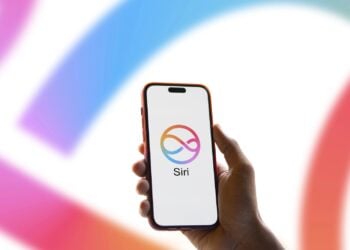
Apple will soon unveil new Siri features based on Google Gemini and bring movement to Apple Intelligence with iOS 26.4.

Apple is further developing Siri into an AI chatbot. Find out what iOS 27 brings, the timeline, and planned features.

Apple is planning a major iPhone update with iOS 26.4. Find out what's changing with Siri, emojis, security, and everyday features.

Safari often feels less smooth despite ProMotion. Here's how to activate the hidden 120 Hz refresh rate and ensure smoother scrolling on your iPhone...

ChatGPT Atlas becomes significantly more productive and user-friendly on the Mac with tab groups, intelligent search, and an improved interface.
With iOS 27, Apple is reportedly planning the biggest Siri overhaul since 2011, including chatbot, AI features and direct system access.

iOS 26 improves group chats with tip indicators, polls, and new tools that make communication faster and clearer.
You are currently viewing a placeholder content from Facebook. To access the actual content, click the button below. Please note that doing so will share data with third-party providers.
More InformationYou are currently viewing a placeholder content from Instagram. To access the actual content, click the button below. Please note that doing so will share data with third-party providers.
More InformationYou are currently viewing a placeholder content from X. To access the actual content, click the button below. Please note that doing so will share data with third-party providers.
More Information