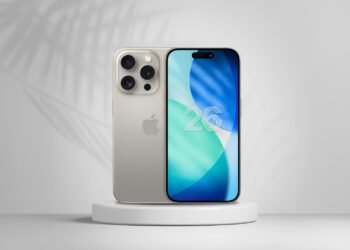
iOS 26.1 Beta 2 launched: All information at a glance
iOS 26.1 Beta 2 is here: Apple expands voice functions, improves apps, and tests new security features. All the details at a glance.

iPadOS is Apple's operating system for the iPad and has been a dedicated variant alongside iOS since September 2019 – with features tailored to the larger screen and productive workflows. These include Stage Manager, freely placeable and overlapping app windows, full external display support, a desktop-like Dock, deep Apple Pencil integration for notes, markup and drawing, connectivity with Magic Keyboard and Magic Trackpad, full mouse and trackpad control, and Continuity features such as Sidecar and Universal Control. iPadOS also brings the central pillars of iOS to the tablet – including Apple Intelligence, the Liquid Glass design, Live Activities, privacy features and deep integration with iCloud, iPhone, Mac, Apple Watch, Apple TV and Vision Pro.
This tag overview on apfelpatient.de accompanies every development around iPadOS: beta cycles for every new major version, detailed coverage of features such as Stage Manager and multitasking, tips and tricks for Apple Pencil, Magic Keyboard, external display use and hidden settings, background on security updates and bug fixes, design analyses of new interfaces, comparisons with macOS and Android, and all rumors and reports about upcoming iPadOS versions.
Anyone wanting to use iPadOS productively, get the most out of their iPad or follow the evolution of the tablet platform will find their reading desk right here.
iOS 26.1 Beta 2 is here: Apple expands voice functions, improves apps, and tests new security features. All the details at a glance.

iOS 26.1 update in October 2025: Release date, AI features, Apple Music gestures and improvements in standard apps.

Apple closes a FontParser vulnerability with new updates. Learn which devices are affected and why the update is important now.

iOS 26.0.1 brings important improvements to iPhone 17. Wi-Fi, cellular, camera, and VoiceOver work reliably again.
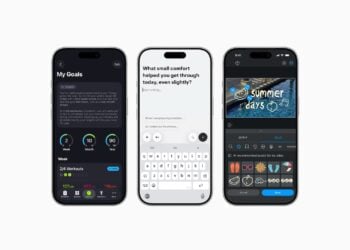
With the Foundation Models Framework, Apple demonstrates how AI can be used privately, powerfully, and versatilely in apps for everyday life and work...
iOS 26 makes reminders easier: Apple Intelligence automatically creates to-dos from emails, websites, or messages.
Fill out, sign, scan, and secure PDFs with the Preview app on your iPhone. Discover all the features for documents and photos.

With iOS 26, you can create polls directly in the Messages app. Up to 12 options, Apple Intelligence, and clear results...

Apple is planning two security changes in iOS 26. Automatic patches and updates without rebooting are intended to protect iPhones from attacks.
Apple is fundamentally changing Image Playground: third-party models, new features, and more creative possibilities are on the horizon.
You are currently viewing a placeholder content from Facebook. To access the actual content, click the button below. Please note that doing so will share data with third-party providers.
More InformationYou are currently viewing a placeholder content from Instagram. To access the actual content, click the button below. Please note that doing so will share data with third-party providers.
More InformationYou are currently viewing a placeholder content from X. To access the actual content, click the button below. Please note that doing so will share data with third-party providers.
More Information