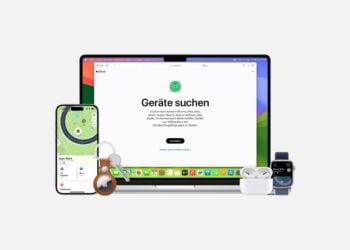
Find my: Everything you need to know about finding lost Apple devices
Where is? provides precise location data, protects devices & enables remote wiping. See all features now & safely find your devices.

iPadOS is Apple's operating system for the iPad and has been a dedicated variant alongside iOS since September 2019 – with features tailored to the larger screen and productive workflows. These include Stage Manager, freely placeable and overlapping app windows, full external display support, a desktop-like Dock, deep Apple Pencil integration for notes, markup and drawing, connectivity with Magic Keyboard and Magic Trackpad, full mouse and trackpad control, and Continuity features such as Sidecar and Universal Control. iPadOS also brings the central pillars of iOS to the tablet – including Apple Intelligence, the Liquid Glass design, Live Activities, privacy features and deep integration with iCloud, iPhone, Mac, Apple Watch, Apple TV and Vision Pro.
This tag overview on apfelpatient.de accompanies every development around iPadOS: beta cycles for every new major version, detailed coverage of features such as Stage Manager and multitasking, tips and tricks for Apple Pencil, Magic Keyboard, external display use and hidden settings, background on security updates and bug fixes, design analyses of new interfaces, comparisons with macOS and Android, and all rumors and reports about upcoming iPadOS versions.
Anyone wanting to use iPadOS productively, get the most out of their iPad or follow the evolution of the tablet platform will find their reading desk right here.
Where is? provides precise location data, protects devices & enables remote wiping. See all features now & safely find your devices.
Easily change the date of birth in your Apple account. A complete overview of all devices, child accounts, and important requirements.

Family Sharing makes it easy to share locations and helps you find lost devices. Discover all the features in one convenient place.

Learn how the age group ensures appropriate app content, keeps access transparent, and reliably protects data privacy.

Easily set up parental controls on your iPhone. Filter media, control purchases, and protect data privacy. All options explained concisely.

Use screen time on your iPhone, read reports, and manage your digital habits. Practical tips for more control in everyday life.

With Family Sharing and Quick Start, you can securely set up an iPhone for children and effortlessly take over all protection features.

Change your Apple account password, use secure steps on all devices, and reliably protect access, whether mobile or...

Securely create and manage Apple child accounts with Family Sharing. Offers protection, overview, and clear digital boundaries.

Family Sharing enables safe purchases for children, keeps spending transparent and ensures clear structures for all digital content.
You are currently viewing a placeholder content from Facebook. To access the actual content, click the button below. Please note that doing so will share data with third-party providers.
More InformationYou are currently viewing a placeholder content from Instagram. To access the actual content, click the button below. Please note that doing so will share data with third-party providers.
More InformationYou are currently viewing a placeholder content from X. To access the actual content, click the button below. Please note that doing so will share data with third-party providers.
More Information