
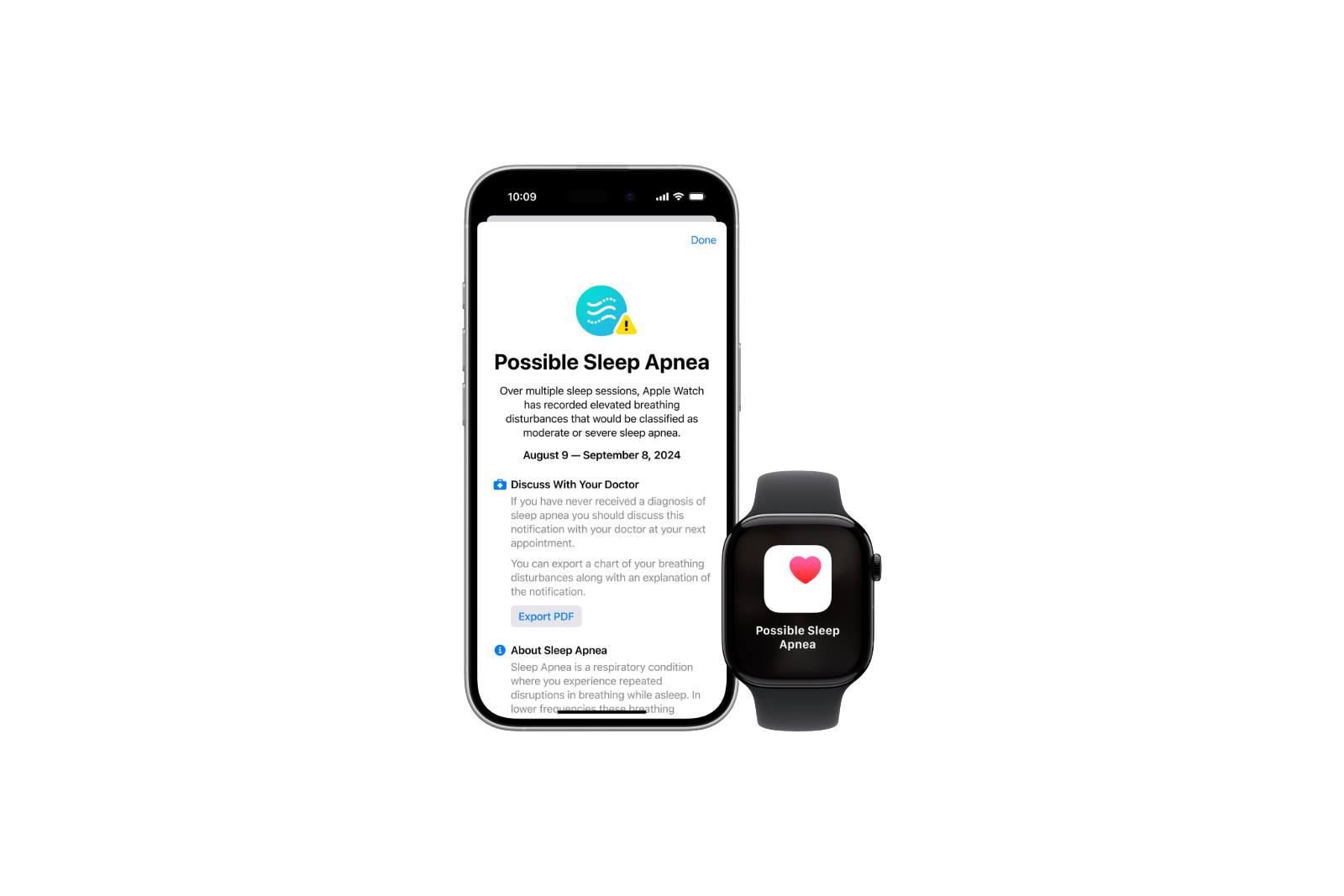
The Apple Watch has established itself over the years as one of the most advanced wearables on the market, especially by introducing new health features. With the latest generation, the Apple Watch Series 10, and the release of watchOS 11, Apple presents an innovative sleep apnea detection feature. This feature aims to detect and alert you to early signs of possible sleep apnea by monitoring breathing disorders. Below you will learn how this feature works and how it can help you monitor and improve your sleep quality.
Sleep apnea detection is another example of how Apple is focused on improving the health of its users. Because sleep apnea is a common and often unrecognized condition, Apple Watch has the potential to help people who may be showing signs of the condition without knowing it. However, this new feature is not intended for people who have already been diagnosed with sleep apnea. Rather, it serves as an early warning system to help you identify possible breathing disorders while you sleep.
How does Apple Watch sleep apnea detection work?
Sleep apnea monitoring on Apple Watch (available on Series 9, Series 10 & Ultra 2) relies on a three-axis accelerometer. This sensor is known for detecting body movements, including the subtle movements associated with breathing. Apple has developed an algorithm that analyzes the data captured by the accelerometer to identify breathing disturbances that may indicate possible sleep apnea. These disturbances are characterized by intermittent interruptions in the breathing pattern during sleep.
What role does the accelerometer play?
The Apple Watch's three-axis acceleration sensor continuously records movements in the X, Y and Z axes. By analyzing these movements, the sensor can detect both coarse movements of the body and very fine movements, such as those caused by breathing. Based on this data, the algorithm develops a pattern that allows conclusions to be drawn about possible breathing disorders. In contrast to other methods, such as the use of abdominal belts or airflow measuring devices, the Apple Watch is able to work completely without external devices. This makes the function particularly suitable for everyday use and convenient for you.
Important restrictions and requirements
It's important to emphasize that this feature is not intended for people who have already been diagnosed with sleep apnea. Furthermore, the blood oxygen sensor, which is disabled in many regions, is not used to detect sleep apnea. Detection relies solely on the accelerometer. Furthermore, Apple Watch requires regulatory approval to offer this feature in certain regions. In the US, this approval was granted on September 16, so you can rest assured that the feature will work reliably.
How do you get sleep apnea data?
To use sleep apnea detection, you must first enable sleep tracking on your Apple Watch. The data about your nighttime breathing disorders is collected and displayed in detail in the Health app on your iPhone. One example of this is the charts in the Health app that show you whether your nighttime breathing disorders are classified as elevated or normal. If an elevation is detected over a 30-day period, you will receive a notification that you may be at risk for moderate to severe sleep apnea.
Clinical Validation and Reliability
Apple has published a comprehensive document describing the clinical validation of this feature. This document explains how the data was collected and analyzed and provides references to studies demonstrating the effectiveness of the method. This validation ensures that the data you receive from your Apple Watch is accurate and trustworthy.
What does this feature do for you?
Monitoring your nighttime breathing disorders gives you valuable insights into your sleep habits and their impact on your health. If Apple Watch detects signs of sleep apnea, you'll receive an early warning so you can better assess potential health risks and discuss them with a doctor early.
Monitoring sleep apnea made easy – with the Apple Watch
The new sleep apnea detection feature on Apple Watch is a significant step forward in health monitoring technology. Leveraging the three-axis accelerometer and an advanced algorithm, you can now easily monitor potential breathing problems during sleep without the need for complicated devices. This could help you take early action and improve your overall health. Do you already own an Apple Watch Series 9 or Ultra 2 ? You can use this feature immediately with watchOS 11. If not, the Apple Watch Series 10 is coming soon —the perfect opportunity to dive into the world of advanced health monitoring. Time for fresh accessories? Visit our Amazon Storefront and discover a wide selection of products from leading manufacturers, including HomeKit-ready ones! (Image: Apple)



